Gentle thoughts,
one key at a time.
A little Space. A change of Shift.
Familiar keys, with something kinder to say.
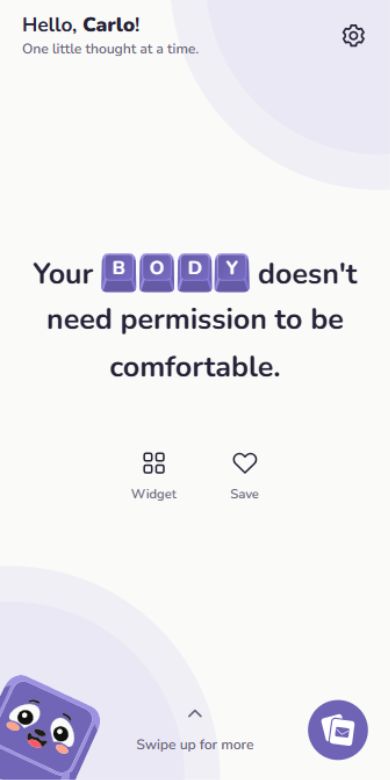
A little thought for right now.
A little piece of the app. Right here.
Feels a little more you.
Find your color. Pick your click.
Even this page can get comfortable.
A color for your kind of day.
And a sound to go with it.
Choose a switch to turn sound on, then press a key.
the little things.
go on, give them a tap ↗Some thoughts
are worth keeping.
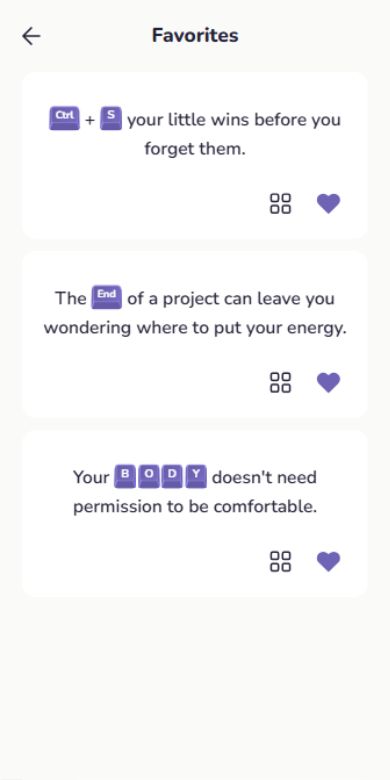
Heart the ones that stay with you. Your favorites are there whenever you want to hear them again.
Demo favorites stay in this browser.
 Kwertinow
You don’t have to earn your REST by exhausting yourself.
A kind word.
When there’s room.
Let a thought find you during the day. Choose a time window for your reminders, or turn them off. You set the pace.
One daily reminder for Free. Up to five with Premium.
For whatever today feels like.
Self-kindness. A little courage. Permission to rest.
Thoughts for the days you’re having.
A general mix for everyone. Choose individual topics with Premium.
A few things to know.
Can I use Kwerti for free?
Yes. Free includes 10 new thoughts a day, up to 20 favorites, Purple and Sage themes, the Red switch sound, and one daily notification.
What does Premium include?
Home-screen widgets for Android, unlimited browsing and favorites, all five themes and keyboard sounds, topic selection, and up to five daily notifications. Monthly and Yearly subscriptions are offered in the app; the store shows current prices and any eligible trial before purchase.
Does it work without internet?
Reading thoughts, saving favorites, and playing key sounds work offline. Reminders are scheduled on your device. Purchases, restoring Premium, and checking for app updates require internet.
Do I need an account?
No. Your name, favorites, and preferences stay on your device. Kwerti has no account to create and no streak to keep.
Which phones does it support?
Kwerti is being prepared for Android. Native home-screen widgets are Android-only. iOS availability has not been announced.
Can I turn reminders off?
Of course. Reminders are optional. Choose a delivery window, adjust how many you receive, or turn them off. Reading and saving thoughts still work. Delivery depends on your phone’s permissions and battery settings.
Take a little thought with you.
For the days that need a little Kwerti.
Android launch updatesAndroid release in preparation. Contact the maker for updates.